 en
en  中文(简体)
 中文(繁體)
 Português
 Español
 Pусский
 العربية
 日本語
日本語
 Deutsch
 Français

Edge Lighting1.2.3

Rating

Genre
GAMES

Size
19.6 MB

Version
1.2.3

Update
Download Edge Lighting APK - Latest Version 2024. Download now!
 Download
Set border colors, edge lighting live wallpapers on home and lock screen.
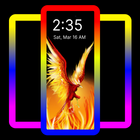
Edge lighting – edge screen; with beautiful edge lighting live wallpapers and LED lights, which can be used as device home & lock screen. Using edge lighting, users can finds attractive LED lights to be used as border colors on device screen.
Edge Lighting with wallpaper borders and moving colorful LED light around phone border on home & lock screen. Border light app gives you different types of backgrounds wallpaper. Using edge notification & edge lighting live wallpapers app, user can choose stunning edge lighting & backgrounds wallpaper for attractive look.
Edge lighting border app, decorate your device more attractive and beautiful with 4k backgrounds as wallpapers and customize RGB edge lighting colors. Edge lighting notification app, provides you amazing edge lighting wallpapers and edge border live wallpapers.
Edge Lighting: LED Light
✅ Colorful round edge lighting with neon lighting and live wallpapers
✅ Change the edge border colors to your preferred hues and RGB colors
✅ Customize animations speed and width of edge lighting
✅ Adjust curve radius
✅ Border light colors can be customized as per your choice.
✅ Colorful round edge lighting
✅ Set 4K Backgrounds as wallpapers
✅ Moving colorful border light screen edges
✅ Customize edge lighting width and height
✅ Add styles to the edge lighting: LED borderlight.
Edge Lighting: LED Light app has amazing features.
✅Edge Lighting wallpapers:edge lighting colors – edge live wallpaper provides you beautiful edge live wallpapers that you can set as a home and lock screen on device.
✅Set edge wallpaper as home screen : In the display light application, users can set beautiful edge live wallpaper as home screen.
✅Set border light live wallpaper as lock Screen: You can select edge lighting wallpaper and you can set as lock screen with the help of edge lighting colors app.
✅Edge light live wallpaper on both Home & Lock Screen. Users can set edge light live wallpapers on both home & lock screen through edge lighting and edge color notification app.
✅Edge lighting wallpapers: In the edge lighting border light app gives you amazing edge light wallpapers, that you can use on you mobile screen for beautiful look.
What's New in the Latest Version 1.2.3
Last updated on Apr 18, 2024
Minor bug fixes and improvements. Install or update to the newest version to check it out!
Edge Lighting: A Comprehensive Guide to Ambient Edge NotificationsIntroduction
Edge Lighting is an innovative app that transforms the edges of your device's screen into a vibrant canvas for notifications. By customizing the colors, animations, and patterns, you can create a unique and eye-catching way to stay informed without unlocking your phone.
Customization Options
Edge Lighting offers a wide range of customization options to tailor your notification experience. You can choose from a variety of colors, including gradient effects, to match your device's theme or personal preferences. The app also provides multiple animation styles, such as breathing, pulse, and rainbow, to add a touch of dynamism to your notifications.
Edge Shape and Size
Edge Lighting allows you to adjust the shape and size of the illuminated edge to fit your screen perfectly. You can choose between straight, curved, or rounded edges, and set the thickness to your liking. This flexibility ensures that the notifications are both visible and unobtrusive.
Notification Filtering
The app provides granular control over which notifications trigger the edge lighting. You can select specific apps, contacts, or even keywords to filter out unimportant notifications. This helps reduce distractions and only display the information that matters most to you.
Edge Lighting Styles
Edge Lighting offers various pre-defined styles to make customization even easier. These styles combine specific colors, animations, and patterns to create stunning notification effects. You can choose from styles such as Aurora, Neon, Fireflies, and more, to instantly enhance your notification experience.
Additional Features
In addition to its core functionality, Edge Lighting offers several additional features to enhance its usability. These include:
* Edge Lighting for Calls: Illuminate the edges of your screen when you receive a call, making it easier to identify incoming calls even when your phone is on silent.
* Edge Lighting for Music: Sync the edge lighting to the rhythm of your music, creating a visually appealing experience while listening to your favorite tunes.
* Edge Lighting for AOD (Always-On Display): Extend the edge lighting functionality to your device's Always-On Display, ensuring notifications are visible even when your screen is off.
Conclusion
Edge Lighting is a highly customizable and feature-rich app that transforms the way you receive notifications. With its vibrant edge illumination, flexible customization options, and additional features, it enhances your device's functionality while adding a touch of style. Whether you want to stay informed discreetly or create eye-catching notifications, Edge Lighting is the perfect solution for you.
5 / 5 ( 813 votes )
Recommended for you







